
An electric car is as much a computer as it is a vehicle. The software that runs the battery, the motor, the charging system, the driver assistance and the touchscreen can be updated after you buy the car, sometimes while it sits on your driveway overnight. That is a new idea for most drivers, who are used to a car staying exactly as it was on the day they collected it.
Software updates can fix bugs, improve efficiency, add features and change how the car behaves. They can also change menus, move controls and occasionally introduce a new problem. Understanding how updates work, what they can and cannot do, and how to manage them safely is now part of owning an EV. If you are new to electric cars, our overview in Electric Cars Explained, A Complete Beginner Guide to Buying and Owning an EV explains the hardware first, and this guide covers the software that runs it.
How Over The Air Updates Work
Over the air updates, often shortened to OTA, are delivered to the car through a mobile data connection or Wi Fi. The car downloads the update in the background, checks that the file is complete and genuine, and then asks you to approve the installation. Installation usually takes place while the car is parked, locked and not in use, and the car cannot be driven during that time. Some updates take a few minutes, others take much longer.
Not every car supports over the air updates, and not every system in a car can be updated that way. Some cars update only the infotainment system over the air, while deeper systems such as battery management or driver assistance need a dealer visit. Others update almost everything remotely. Ask the manufacturer or dealer exactly which systems are covered, and how often updates are released, before you buy.
A stable connection matters. If you park in an area with poor mobile signal or no Wi Fi, updates may download slowly or not at all. Some cars let you connect to home Wi Fi for faster downloads, which is worth setting up. Keep the car charged before an update, because an installation that is interrupted by a flat battery can cause problems that need dealer help to fix.
What Software Updates Can Improve
The most useful updates are the quiet ones. A bug fix that stops the screen freezing, a charging improvement that makes public charging more reliable, or a battery management change that improves efficiency in cold weather all make ownership better without changing how you drive. Some updates improve range slightly by managing energy more cleverly, while others improve the accuracy of the range estimate, which reduces anxiety on long trips.
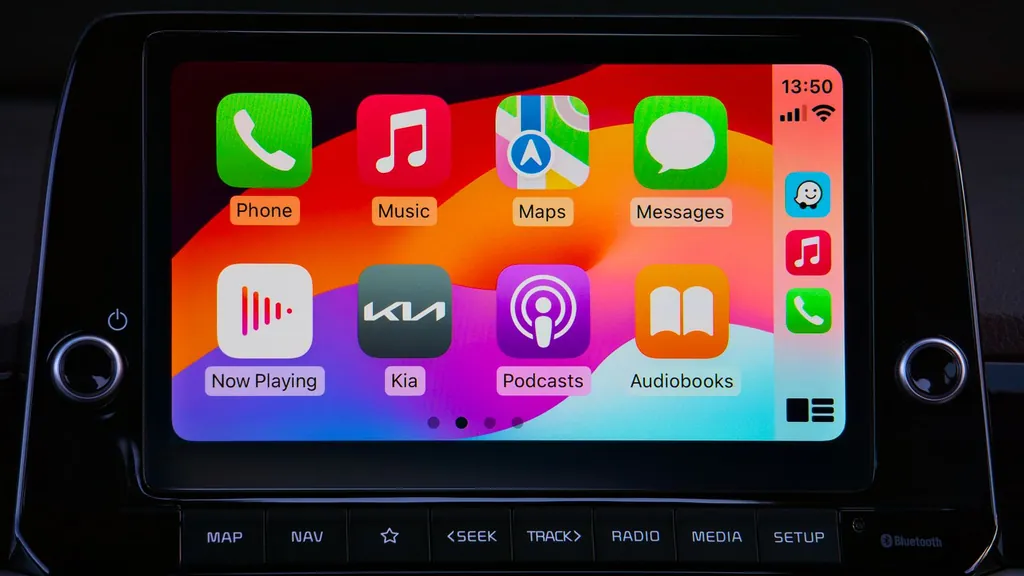
Driver assistance can also improve. Lane keeping, automatic emergency braking and adaptive cruise control rely on software, and updates can make them smoother, more accurate and less prone to false alerts. Infotainment updates can add new apps, improve voice control, fix phone connection problems and make the navigation system smarter about charging stops.
Some manufacturers use updates to add features that were not available at launch, such as a new driving mode, a better reversing camera view or an improved phone key. Those additions can make a car feel newer for longer, and they are one reason why software support is now a genuine buying criterion. A car from a manufacturer with a strong update record will age better than a car whose software is frozen at launch.
What Updates Cannot Fix
Software cannot fix a hardware limit. An update cannot give a car a larger battery, a faster charging port or a more powerful motor than the hardware allows. It can sometimes unlock a little more of what the hardware can already do, but it cannot turn a slow charging car into a fast charging car. Be cautious about claims that an update will transform range or performance, and look for independent evidence before you believe them.
Updates also cannot fix poor design. If the touchscreen menus are confusing, the heating controls are buried, or the driving position is uncomfortable, software may improve the details but it will not redesign the car. Test the car as it is today, not as it might become after a future update that may or may not arrive.
Managing Updates Safely
Read the release notes before every update. They tell you what has changed, how long installation will take, and whether the car will be unavailable during that time. Do not start an update just before you need the car, and do not start one with a low battery. Park in a safe place, lock the car, and let the installation finish without interruption.
Most cars let you choose when to install, and some let you schedule installation overnight. That is usually the safest option, because the car is parked and you do not need it. If an update fails, the car will usually roll back to the previous version and tell you to try again. If it fails repeatedly, contact the dealer rather than trying to force it, because repeated failed installs can cause deeper problems.
Keep a note of which software version your car is running, and check it after a dealer service. Some dealers update software during a service without mentioning it, and a change in behaviour afterwards is easier to understand if you know what changed. If you share the car with family, tell them when an update is scheduled so nobody is surprised by a car that will not start for half an hour.
Software And The Wider EV Systems
Software touches almost every part of an EV. Regenerative braking, battery heating, charging curves and climate control are all managed by code, so an update to one system can affect how another feels. If your car feels different after an update, check the release notes first, then give yourself a few drives to adjust before you decide whether something is wrong.
Regenerative braking is a good example. Some updates change the strength of regeneration, the behaviour when the battery is full, or the way one pedal driving works. Our guide to Regenerative Braking Explained, How It Works and How to Use It explains the system in detail, and it is worth revisiting if an update changes how your car slows down.
Battery management is the other system to understand. Updates can change charging speeds, thermal management and the way the car protects the battery in extreme temperatures. Our guide to EV Battery Types Explained, LFP, NMC and What They Mean for You explains the different battery chemistries and why software management matters for each one.
Conclusion
Software updates are one of the best parts of owning an electric car, when they are managed well. They fix problems, improve efficiency and keep a car feeling current for years. Treat them with the same care you would give any change to a car you rely on. Read the release notes, install when the car is parked and charged, and test any change that affects driving before a long trip. Choose a manufacturer with a clear update record, and your EV will get better with age instead of simply getting older.
Can I drive my EV during a software update
No, the car cannot be driven while an update is installing. Schedule updates overnight or when the car is parked and you do not need it, and make sure the battery is charged first.
Do software updates improve EV range
Sometimes, by a small amount. Updates can improve energy management, charging efficiency and the accuracy of the range estimate, but they cannot give a car a larger battery or overcome a hardware limit.
What should I do if an EV update fails
The car will usually roll back to the previous version and ask you to try again. If it fails repeatedly, contact the dealer rather than forcing repeated installs, and check that the car has a stable connection and enough charge.
Do all EVs get over the air updates
No, some cars update only the infotainment system over the air, while deeper systems need a dealer visit. Ask exactly which systems are covered and how often updates are released before you buy.
